
We’ve all seen it before: a local business website featuring a glowing, suspiciously perfect corporate team laughing around a laptop in a pristine glass office. Then you visit the actual shop down the street, and it looks completely different.
Generic stock photos might seem like an easy shortcut when building or updating your site, but they often do more harm than good. Modern consumers value authenticity above almost everything else. They want to see the real people, real products, and real spaces behind the business name.
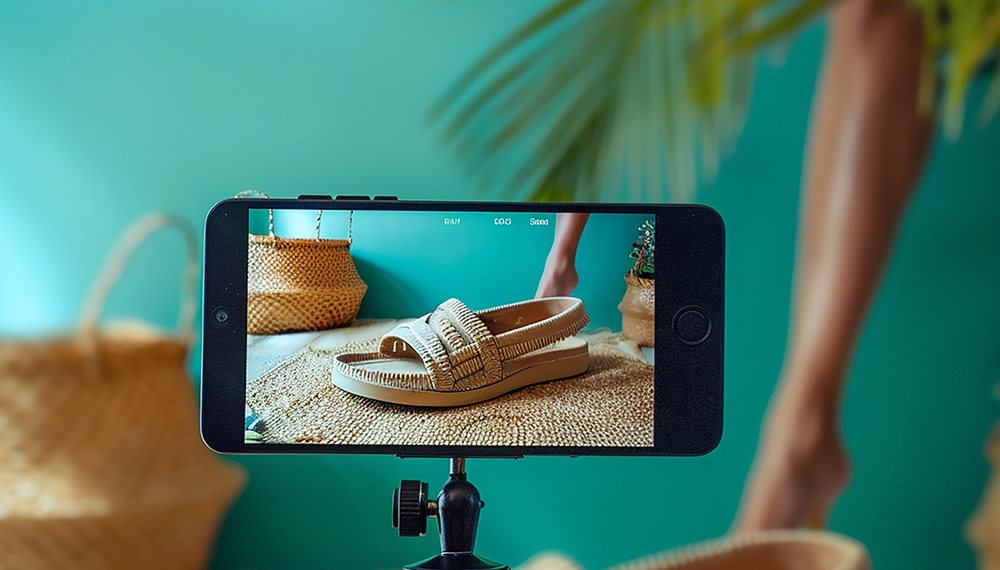
The good news? You don’t need to spend thousands of dollars hiring a professional photographer or buying a high-end DSLR camera to get stunning visuals. The smartphone sitting in your pocket right now is fully capable of capturing high-quality images. With a few basic web design and photography principles, you can transform your site using photos you took yourself.
Here is your practical guide to ditching stock photos and capturing impressive website imagery using just your phone.
1. Let Natural Light Do the Heavy Lifting
Lighting is the single most important factor in photography, especially when shooting with a smartphone sensor. Poor lighting makes photos look grainy, dark, and unprofessional, while good lighting can make a phone photo look like it was taken on a high-end studio camera.
-
Seek out natural daylight: Whenever possible, position your subject near a large window. Soft, indirect sunlight creates a clean, flattering look for both people and physical products.
-
Avoid direct overhead lighting: Harsh fluorescent lights or bright midday sun cast unflattering shadows. If you're shooting outdoors, early morning or late afternoon (the "golden hour") provides soft, warm light.
-
Turn off the built-in flash: Smartphone flashes tend to wash out colors, create harsh glare, and make images look cheap. If a room is too dark, move closer to a window or bring in an external lamp instead of relying on the flash.
2. Master Composition and Framing
In effective web design, images need to fit into specific layouts, headers, and banners. Taking a great photo isn't just about what is in the shot; it's about how the shot is framed.
-
Use the Rule of Thirds: Turn on the grid overlay feature in your phone’s camera settings. Place your main subject along the grid lines or at their intersections to create a naturally balanced, visual aesthetic rather than placing everything dead center.
-
Leave "Negative Space" for text: Web designers frequently overlay headlines and buttons on top of images (especially in hero sections at the top of a homepage). When shooting, leave plain areas like an empty wall, a blue sky, or a clear tabletop where text can easily sit without looking cluttered.
-
Shoot both vertical and horizontal angles: Banners and desktop layouts require landscape (horizontal) photos, while mobile screen views often benefit from portrait (vertical) images. Take both versions of every shot so you have options when building your pages.
3. Keep the Lens Clean and the Camera Steady
It sounds painfully simple, but a dirty camera lens is the number one reason phone photos end up looking blurry or foggy. Your phone lives in your pocket or bag, constantly collecting fingerprints and lint. Before taking a single shot, wipe the lens with a soft microfiber cloth.
Additionally, shaky hands ruin crisp details. Hold your phone with both hands, tuck your elbows against your ribs for stability, or rest the phone on a flat surface. If you plan to take product shots or staff portraits regularly, investing $15 in a basic smartphone tripod can make a massive difference in quality.
4. Focus on Real Moments and Real Details
Stock photos fail because they feel staged and insincere. To make your website visually engaging, highlight the authentic details that make your business unique.
-
Action shots over awkward poses: Instead of asking a staff member to look at the camera and smile rigidly, take candid photos of them working, assisting a customer, or preparing a product.
-
Focus on texture and detail: Tap your phone screen on the exact object you want to highlight to lock the focus. Close-up shots of handcrafted items, food dishes, or specialized tools build immediate visual interest.
-
Show your space: Take clean, well-lit photos of your store's storefront, waiting room, or workspace. Showing customers what to expect before they step through your door builds instant trust.
5. Polish with Subtle Editing (Don't Overdo It)
You don’t need complicated software to edit your phone photos. Free or low-cost mobile apps like Lightroom Mobile, Snapseed, or even your phone's native photo editing tool can work wonders.
-
When editing for web design, moderation is key:
-
Boost the Brightness and Contrast slightly to make the image pop.
-
Adjust the Warmth so whites look clean rather than yellowish or blue.
-
Avoid heavy artistic filters. You want your website images to look crisp, professional, and true to life across all device screens.
Authentic Photos Build Real Trust
Your website is often the very first impression a potential customer has of your business. While stock photos might look slick on the surface, authentic photos tell a genuine story about who you are and why customers should choose you.
By taking advantage of natural light, smart framing, and a few quick editing tweaks, you can capture eye-catching images with your phone that elevate your web design, strengthen your brand, and turn casual site visitors into loyal customers. Pick up your phone, look around your workspace, and start shooting today!
That’s where we come in. Based in San Diego, WebmasterDeveloper proudly consults local businesses and private clients worldwide. We offer dependable, high-quality, and affordable web services tailored to your unique goals. Let us take the stress out of setup or managing your website reach out today!